

SystemPlugin
 SystemPlugin is the must-have tool for realizing the full potential of GoldMine. Quickly centralize legacy data sources into your single GoldMine CRM SQL database. SystemPlugin Templates are available for DDMS and other Accounting and Industry ERP systems. Don't see a template available for your system? Just ask us.
Aside from existing built-in support for all of the latest editions of GoldMine Corporate and Premium Editions, SystemPlugin 2012 completely rewrote the playbook on all levels of data integration with GoldMine. SystemPlugin 2012 brings end users incredible new levels of data accessibility to the front office sales team.
- Streamlined templating and updates
- Invoice and line item details
- Vastly improved summary data for sales, gross margins and order/hit counts
- Many new standard field mappings
- Equipment dealer service history (not applicable to all accounting/ERP systems)
- Frequent application updates and feature additions
- Ready-To-Run SQL Queries
- Easy-To-Use SQL Views
- Custom Mapping Capabilities
- Import Historical Data
- Improved Performance
- Easy-Web Configuration
- Microsoft Windows Server® 2003 R1 or R2 x86 (32-bit)
- 2 GB of RAM minimum. More RAM may be required for a larger GoldMine database and/or source data
- 2.0 GHz or faster CPU (Intel or AMD). Multiple cores may be required for large data sets
- Microsoft Windows Server® 2008 R1, R2 x86 (32 bit) or x64 (64-bit)
- 2 GB of RAM minimum. More RAM may be required for a larger GoldMine database and/or source data.
- 3.0 GHz or faster CPU (Intel or AMD). Multiple cores may be required for large datasets.
- Microsoft® SQL Server™ 2005 or SQL Server 2008 R1 or R2
- 500 MB of available hard drive space. More may be required for a larger GoldMine database or source dataset.
- GoldMine®:
- GoldMine Corporate Edition 7.6 or newer.
- GoldMine Premium Edition 8.03 or newer.
- NOTES:
1) Only GoldMine Premium Edition 8.5 and newer support viewing invoice line item data directly in the preview pane of the History tab. In older versions of GoldMine, line items are visible only when you pop open activity record and view notes.
2) To take full advantage of SystemPlugin, SystemPlugin's custom fields, screens and lookups will need to be synchronized into your database. - IMPORTANT: For Existing GoldMine Databases:
- If you have an existing GoldMine contact database, additional work may be required to fully integrate your database.
- To fully install SystemPlugin, it requires the addition of new custom fields, labels, lookups, filters and SQL queries, triggers, tables and views.
- Please inquire with your reseller for full details.
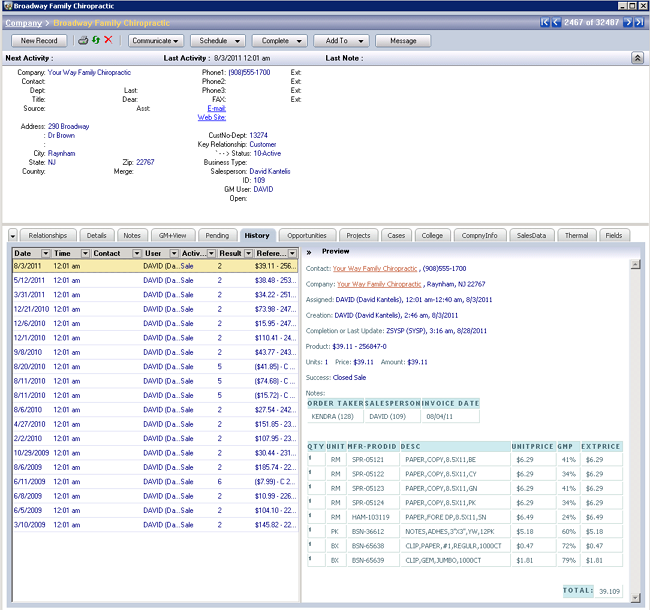
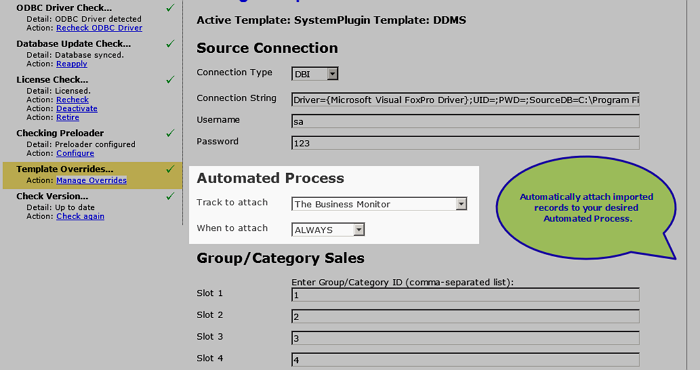
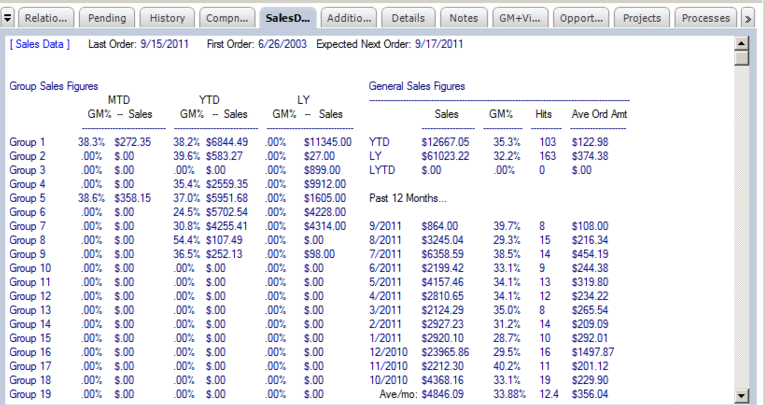
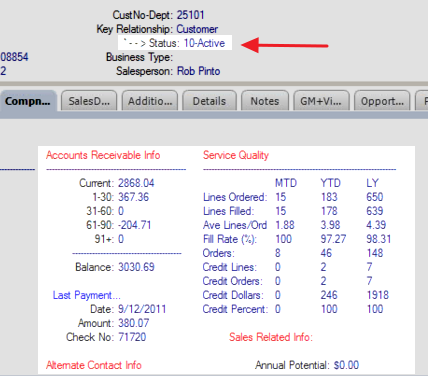
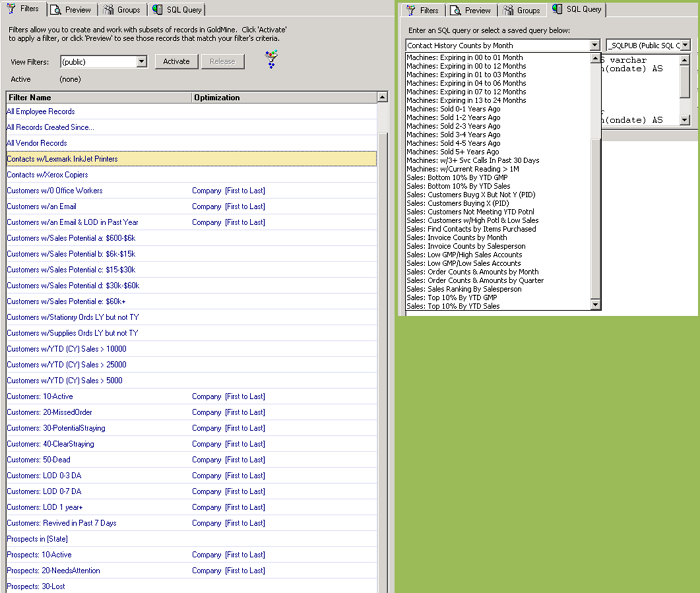
Note: Not all data is available from all accounting/ERP systems. Preview screen only available in GoldMine Premium 8.5 and higher..
SystemPlugin - License - New/Additional
Qty Hint: Must equal the GoldMine user license count.
License for 1) NEW product purchases or 2) ADDITIONAL license activations for existing installations.**IMPORTANT:** a) Installation charge is separate. b) You must also purchase equal number of Maintenance subscriptions (auto added to cart). c) You will need to also purchase the template relevant to your system.
Login to view pricing.